


Blog
Best Ways to Clean Your Phone Screen Safely

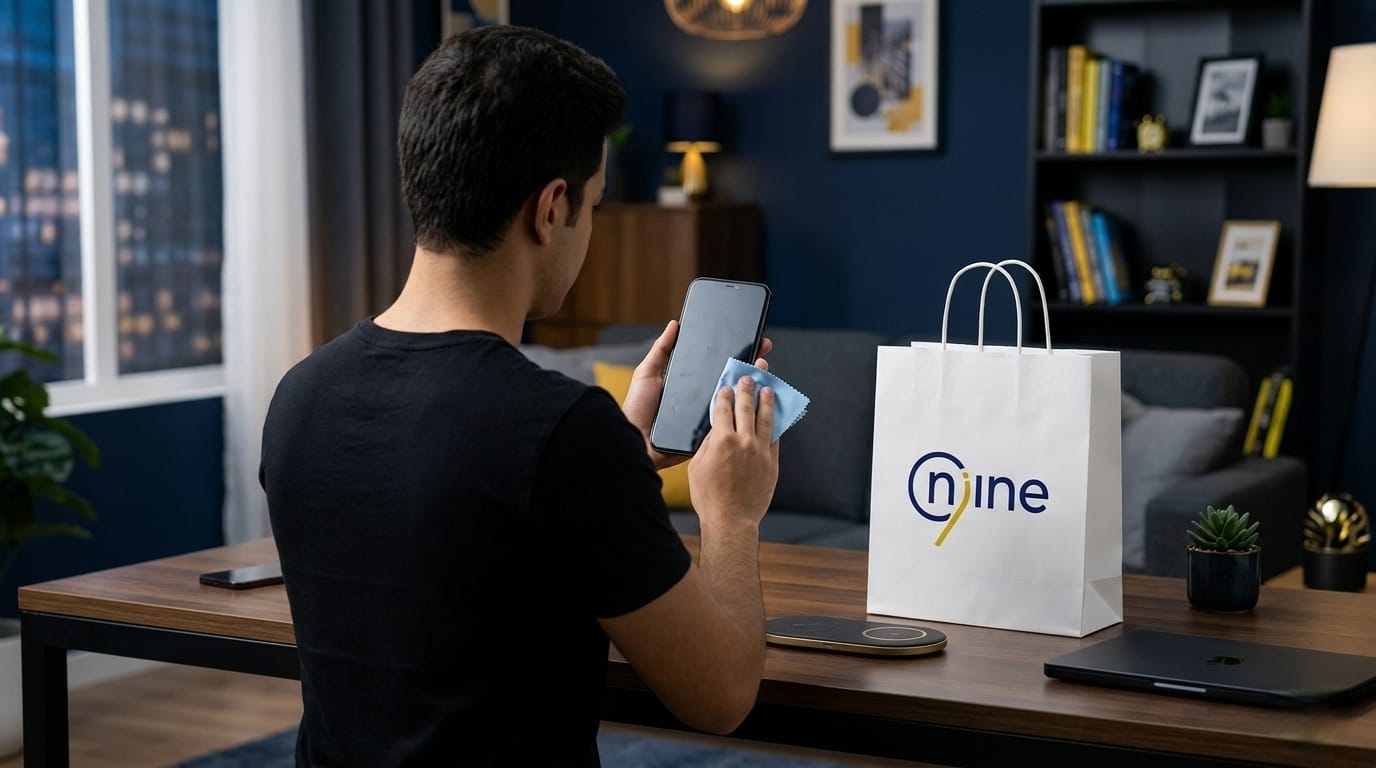
Keeping your phone screen clean starts with a simple question: Why does your screen look dull even when your phone is still new? Fingerprints, oil residue, dust, and everyday touch marks can make your smartphone look less attractive, reduce screen clarity, and affect your overall viewing experience.
Cleaning your phone screen the wrong way can lead to scratches or damage the protective coating on the display. Instead of using random cleaning methods, you need safe steps that help keep your screen looking as good as new.
At Nine Tec Egypt, users can learn how to clean their smartphone screens properly while protecting the display from everyday damage with reliable screen protection solutions.
What Are the Best Ways to Clean Your Phone Screen Without Scratches or Damage?
The best way to clean a phone screen starts with handling it carefully. A smartphone display is not just ordinary glass. It is a sensitive surface that can be affected by pressure, excess moisture, and harsh cleaning products.
Before cleaning, turn off your phone. Then use a soft microfiber cloth and gently wipe the screen using circular motions to remove fingerprints and dust without leaving marks. If you notice oil or stubborn smudges, lightly dampen one corner of the cloth instead of spraying liquid directly onto the screen. Spraying liquids directly may allow moisture to enter the phone through openings such as charging ports, speakers, or side edges.
Using a high-quality screen protector from Nine Tec Egypt can make cleaning easier while helping protect the original display from scratches caused by daily use at home, work, or while traveling. By following these simple steps, you can keep your phone looking clean, polished, and protected for longer.
Best Ways to Clean Your Phone Screen from Fingerprints and Everyday Oil Marks
Fingerprints and oil buildup do more than affect appearance. They can reduce screen visibility and make everyday activities like browsing, typing, and watching videos feel less comfortable.
Cleaning the screen properly helps maintain its appearance and reduces the risk of scratches caused by improper cleaning methods.
Never Spray Liquid Directly on the Screen
Spraying liquid directly onto the display may allow moisture to reach sensitive areas such as speakers, charging ports, or screen edges. The safer option is to place a very small amount of cleaning solution on the edge of a microfiber cloth, then gently wipe the display until the marks disappear.
Avoid Harsh Household Chemicals
Products such as bleach, strong detergents, or aggressive household cleaners can damage the screen coating and reduce its resistance to fingerprints over time.
A Good Screen Protector Makes Cleaning Easier
A high-quality screen protector helps reduce fingerprint buildup and makes daily cleaning much easier. It also adds an extra layer of protection against scratches and minor impacts.
At Nine Tec Egypt, users can find screen protection solutions designed to help keep smartphone displays cleaner, safer, and easier to maintain every day.
Best Ways to Clean Your Phone Screen at Home Using Safe Tools
Cleaning your phone screen at home does not require complicated tools, but it does require using the right materials to avoid turning a simple cleaning routine into scratches or damage to the screen protector. When you use safe and gentle tools, you can maintain screen clarity, reduce fingerprints and oil buildup, and help extend the life of your screen protector.
At Nine Tec Egypt, users can find practical phone protection solutions that help keep smartphones clean and protected during everyday use.
Use a Soft Microfiber Cloth
A microfiber cloth helps clean your screen safely without scratching the surface or leaving lint behind. Always wipe gently and try to use a cloth dedicated only to cleaning your phone so dust particles from other surfaces do not transfer onto the screen.
Use Only a Small Amount of Moisture
If your screen has visible oil marks or stubborn fingerprints, lightly dampen one corner of the cloth and gently wipe the display. Avoid using too much water because excess moisture can enter ports or side openings and cause more serious damage.
Use Screen-Safe Cleaning Solution When Needed
For more difficult stains, use a cleaning solution specifically designed for electronic screens. Apply it to the cloth rather than spraying directly onto the phone. This helps remove marks safely without affecting screen quality or the display coating.
A Good Screen Protector Makes Cleaning Easier
A durable screen protector helps reduce direct contact between dust and the original display while making daily cleaning much easier. Choosing a high-quality screen protector from Nine Tec Egypt can help keep your phone looking clean and protected every day.
Is Alcohol Good for Cleaning a Phone Screen or Can It Cause Damage?
Using alcohol to clean a phone screen requires caution. Some alcohol-based products may weaken the fingerprint-resistant coating on the display, making the screen more likely to lose its smooth finish over time.
In most cases, you do not need strong cleaning chemicals to keep your screen clean. A soft microfiber cloth with very light moisture is usually enough to remove fingerprints, dust, and everyday marks safely. For difficult stains, it is better to use a screen-safe cleaning solution instead of experimenting with harsh household products that may cause unexpected damage.
Choosing a strong screen protector as the best iPhone 17 screen protector from Nine accessories adds an extra layer of protection that can better handle daily cleaning while helping keep your phone looking clean and polished.
Find also the best iPhone car holders from Nine Tec.
Best Ways to Clean Your Phone Screen When Using a Screen Protector
Having a screen protector on your phone does not mean you can clean it carelessly. Too much pressure, excess moisture, or rough cleaning materials can reduce clarity and weaken the screen protector over time. Cleaning it correctly helps preserve appearance, extend the protector’s lifespan, and reduce the risk of scratches or trapped air bubbles.
Always Start with a Clean Microfiber Cloth
A soft microfiber cloth removes dust and fingerprints without causing friction damage. Avoid using rough tissues, clothing, or paper towels because they may leave small scratches over time.
Clean the Edges Carefully
The edges of the screen protector are often the most sensitive area during cleaning. Pressing too hard or allowing moisture to reach underneath may affect how securely the protector stays attached.
Gently wipe from the outside toward the center while avoiding pressure on the corners.
Use Minimal Moisture for Oil Stains
If there are oily marks on the surface, lightly dampen the edge of the cloth and clean carefully. Never spray liquid directly onto the phone because moisture can weaken the adhesive layer under the screen protector.
Replace Damaged Screen Protectors When Necessary
Cleaning can remove dirt and fingerprints, but it cannot repair deep scratches, cracks, or permanent air bubbles.
If the screen protector shows clear damage, replacing it with a new protector from Nine Tec Egypt helps maintain the original display while restoring a clean appearance and smooth user experience.
When Are Cleaning Methods Not Enough and You Need to Replace Your Screen Protector?
Even the best phone screen cleaning methods are not enough when the problem is no longer simply dirt or fingerprints, but visible damage to the screen protector itself. If you start noticing deep scratches, small cracks, air bubbles, or reduced touch responsiveness, cleaning alone will not solve the problem.
At this point, the issue is no longer about keeping the screen clean. It is about replacing the damaged screen protector before it begins affecting screen visibility, touch performance, and your overall phone experience. Ignoring these warning signs can make your phone look worn out and leave the original screen more exposed to scratches, accidental drops, and everyday damage.
Choosing a high-quality screen protector from Nine Tec Egypt gives your phone a fresh layer of protection while helping maintain screen clarity, smooth touch response, and better long-term device protection.
Frequently Asked Questions
Does Cleaning Your Phone Screen Every Day Cause Damage?
No. Cleaning your phone screen daily does not cause damage as long as you use a soft microfiber cloth and avoid excess moisture. Screen damage usually happens when people scrub too hard, use harsh chemicals, or clean the phone while the surface is wet and the device is still turned on.
Using gentle cleaning habits helps keep the screen clean without affecting its appearance or performance.
When Is the Best Time to Clean Your Phone Screen?
The best time to clean your phone screen is whenever you notice fingerprint buildup, oil marks, dust accumulation, or reduced screen clarity. For safer cleaning, it is better to clean the phone when it is turned off and cool to the touch. This helps prevent unnecessary pressure, reduces moisture risks, and makes cleaning more effective overall.

