


Blog
How to Pair AirPods to Android and Find the Best Earbuds at Nine Tec Egypt

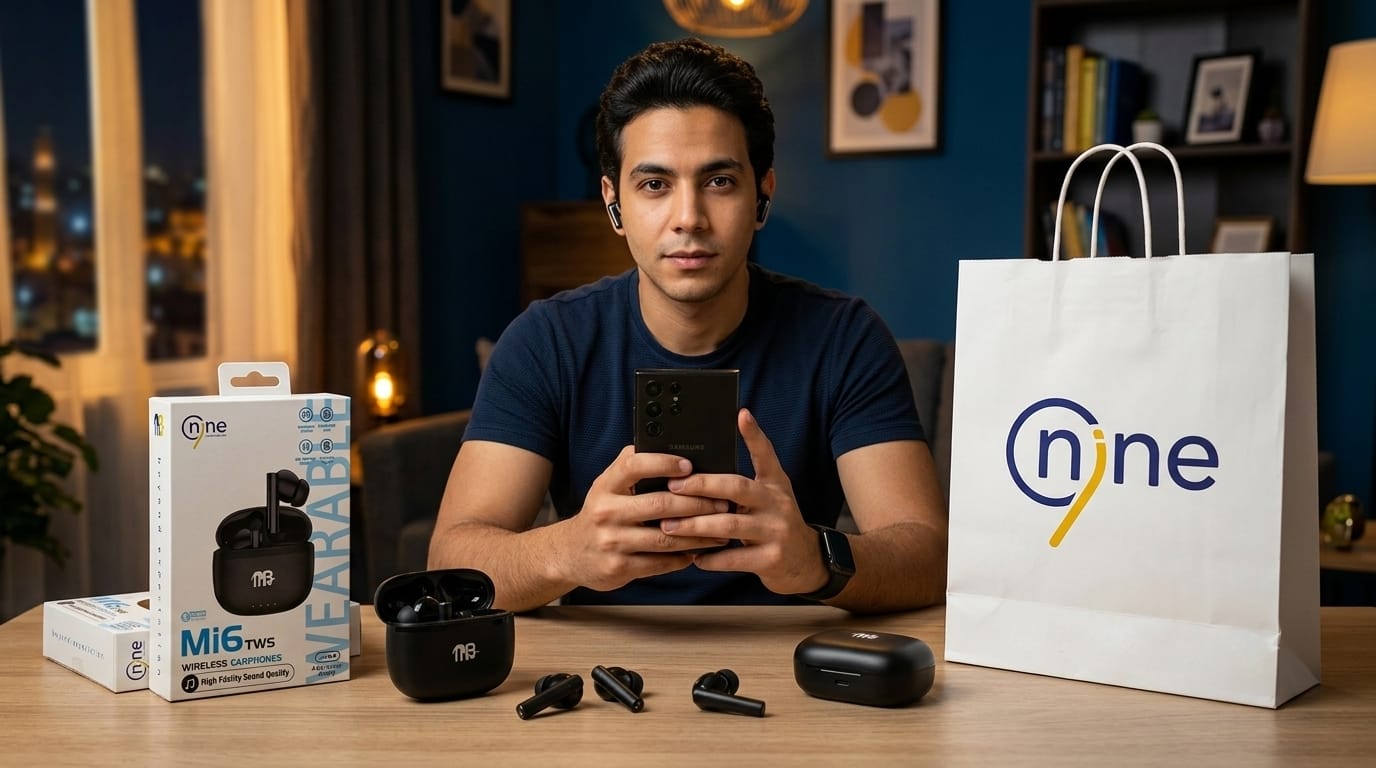
Do you think AirPods only work with iPhones? Many smartphone users search for how to pair AirPods to Android after buying wireless earbuds and discovering that these devices are not limited to a single phone brand. A common misconception is that AirPods can only connect to Apple devices, but in reality, many wireless earbuds can connect easily to Android phones as well. In fact, today, many people use the word AirPods to describe almost any wireless earbuds, even when the product comes from another brand, simply because AirPods have become the most well-known type of wireless earbuds in the market.
At Nine Tec, we provide wireless earbuds that work smoothly with both iPhone and Android devices while delivering strong performance, comfort, and reliable daily use.
Why Users Search for How to Pair AirPods to Android
One reason many people search for how to pair AirPods to Android is that users often switch between different phone brands. Someone may own:
- An Android phone today.
- An iPhone in the future.
- Multiple devices at the same time.
- Tablets and laptops from different brands.
Wireless earbuds have become universal accessories, and buyers want products that work with all their devices. Understanding how to pair AirPods to Android helps users realize that many earbuds are far more flexible than they initially expect.
Understanding Wireless Earbuds Before Learning How to Pair AirPods to Android
Before discussing how to pair AirPods to Android, it helps to understand that wireless earbuds use Bluetooth technology. Bluetooth allows devices to communicate without physical cables.
This means earbuds can connect to:
- iPhones.
- Android phones.
- Tablets.
- Laptops.
- Smart TVs.
- Gaming devices.
Although Apple AirPods were designed for Apple devices, Bluetooth technology allows them to connect to Android phones as well. The same applies to many wireless earbuds sold by Nine Accessories.
Step-by-Step Guide for How to Pair AirPods to Android
Learning how to pair AirPods to Android is actually very simple. Even though AirPods were originally designed for Apple devices, they can also connect easily to Android phones using Bluetooth. Once the connection is completed, the earbuds will usually reconnect automatically whenever Bluetooth is turned on again.
Complete Step-by-Step Table
| Step | Action | What Happens | Helpful Tip |
|---|---|---|---|
| Step 1 | Open your Android phone settings | Access phone settings menu | Make sure your phone has enough battery before pairing |
| Step 2 | Turn Bluetooth on | Activates wireless connection | Keep Bluetooth visible for faster device detection |
| Step 3 | Place AirPods inside the charging case | Prepares earbuds for pairing mode | Both earbuds should be inside the case correctly |
| Step 4 | Open the charging case lid | Activates connection readiness | Keep the case open during the whole process |
| Step 5 | Press the pairing button on the case | Starts Bluetooth pairing mode | Hold the button for a few seconds |
| Step 6 | Wait for the indicator light to flash | Shows the earbuds are discoverable | A flashing light usually means pairing mode is active |
| Step 7 | Check available Bluetooth devices on Android | Phone starts searching for nearby devices | Stay close to the phone for faster detection |
| Step 8 | Select AirPods from the Bluetooth list | Begins the connection process | Tap the device name once it appears |
| Step 9 | Wait for pairing confirmation | Connection becomes active | This usually takes only a few seconds |
| Step 10 | Start using your earbuds normally | Audio can now play wirelessly | Test music or video playback immediately |
What happens after pairing?
| Feature | Result |
|---|---|
| Automatic Reconnection | AirPods usually reconnect automatically next time |
| Wireless Audio | Listen to music, videos, and podcasts without cables |
| Phone Calls | Use earbuds for hands-free communication |
| Bluetooth Stability | Connection remains stable during daily use |
| Daily Convenience | Faster future connections without repeating setup |
Does Audio Quality Change When Learning How to Pair AirPods to Android
Many users wonder whether sound quality changes when using AirPods with Android devices. The answer depends on the specific earbuds being used.
When comparing devices after learning how to pair AirPods to Android, users may notice differences in:
- Advanced app integration.
- Special ecosystem features.
- Automatic switching.
- Voice assistant support.
However, basic audio quality often remains excellent on both systems. Music, calls, and video playback usually perform very well regardless of phone brand.
Common Problems While Learning How to Pair AirPods to Android
While learning how to pair AirPods to Android, some users may face small connection problems during the setup process. In most cases, these issues are easy to fix and do not require advanced troubleshooting.
Common Problems and Solutions Table
| Problem | Possible Cause | What Happens | Simple Solution |
|---|---|---|---|
| Bluetooth not activated | Bluetooth is turned off on the Android phone | AirPods do not appear in available devices | Go to phone settings and turn Bluetooth on |
| Low battery level | AirPods or the charging case battery is too low | Earbuds may fail to enter pairing mode | Charge both the earbuds and case before trying again |
| Already connected to another device | AirPods may still be connected to a previous phone, tablet, or laptop | Android phone cannot detect the earbuds | Disconnect AirPods from the previous device first |
| Incorrect pairing mode | The pairing button was not pressed correctly or held long enough | The device does not become discoverable | Press and hold the pairing button until the light starts flashing |
| AirPods not showing in Bluetooth list | Bluetooth scanning may not detect the device immediately | Earbuds do not appear on the Android phone | Refresh Bluetooth search and keep the earbuds close to the phone |
| Software compatibility issues | Older Android software versions may have temporary connection issues | The pairing process may fail or disconnect | Update your Android device software when possible |
| Unstable Bluetooth connection | Signal interference from nearby wireless devices | Connection drops during setup | Move away from other Bluetooth devices and try again |
| Previous pairing errors | AirPods saved incorrect connection information | The device keeps failing to connect | Reset the earbuds and repeat the pairing process |
| Earbuds not reconnecting automatically | Bluetooth settings were changed after initial setup | A manual connection is needed every time | Remove the device and pair it again from the beginning |
| System glitches | Temporary software issues on phone or earbuds | Random connection failures | Restart the phone and reset the AirPods |
Why People Call All Earbuds AirPods While Searching How to Pair AirPods to Android
One interesting trend in technology is that many users call every wireless earbud “AirPods.” This happens because Apple made wireless earbuds extremely popular worldwide.
Today many people say:
- I need AirPods for my Samsung phone.
- I bought AirPods for Huawei.
- I want AirPods for Android.
In reality, they often mean wireless earbuds in general. Because of this habit, many users searching how to pair AirPods to Android may actually be talking about completely different earbud brands.
How Nine Tec Products Support Users Searching How to Pair AirPods to Android
At Nine Tec Egypt, we understand that users need earbuds compatible with multiple devices. Many customers want products that work equally well with:
- iPhone devices.
- Samsung smartphones.
- Huawei phones.
- Xiaomi devices.
- Oppo smartphones.
- Vivo smartphones.
- Android tablets.
This flexibility is extremely important for modern users. People researching how to pair AirPods to Android often simply want wireless earbuds that connect easily regardless of device brand.
Best Earbuds at Nine Tec for Users Learning How to Pair AirPods to Android
Nine Tec offers several wireless earbuds that provide excellent compatibility with both Android and iPhone devices. Below are some of our wireless earbud options suitable for users researching how to pair AirPods to Android.
| Product | Main Features | Best For |
|---|---|---|
| Nine Aurorapods M18 Wireless Earphones ANC | Active noise cancellation, strong audio performance, modern design | Daily use, work calls, travel |
| Nine Mi6 Wireless Earphones | Balanced sound, lightweight design, stable Bluetooth connection | Music, everyday listening |
| Nine Sports Wireless Earphones Y8H | Sport-friendly fit, secure design, comfortable during movement | Exercise and workouts |
| Nine Zenvibe M16 Wireless Earphones ANC Equipped with 6 Microphones | Advanced ANC technology, six microphones, improved call clarity | Calls, meetings, professional use |
All these products work with both iPhone and Android smartphones.
Why Bluetooth Compatibility Matters When Learning How to Pair AirPods to Android
Bluetooth compatibility determines how easily earbuds connect with smartphones. The reason many people search how to pair AirPods to Android is because they worry about compatibility limitations.
Modern Bluetooth technology provides several advantages:
- Faster connection.
- Better range.
- Stable signal.
- Lower battery consumption.
- Reduced audio delay.
Better Bluetooth technology improves overall user experience regardless of the device being used.
How Battery Life Affects Users Searching How to Pair AirPods to Android
Battery performance matters because wireless earbuds depend entirely on battery power. Users researching how to pair AirPods to Android usually want earbuds for everyday convenience.
Battery performance affects:
- Listening time.
- Call duration.
- Travel convenience.
- Charging frequency.
- Overall reliability.
Modern earbuds now provide far better battery life than older wireless audio products.
How Nine Tec Builds Trust for Customers Searching How to Pair AirPods to Android
At Nine Tec Egypt, our goal is simple. We want to provide technology solutions that improve daily life.
We offer:
- Wireless earbuds as Anker AirPods
- Fast chargers.
- Power banks.
- Charging cables.
- Smart accessories.
- Mobile device accessories.
Our mission focuses on delivering reliable products that combine performance, quality, and practical everyday use. Customers searching how to pair AirPods to Android often need dependable wireless solutions that work smoothly across different devices, and this is exactly what we focus on.
Frequently Asked Questions About How to Pair AirPods to Android
1. Can AirPods connect to Android phones the same way they connect to iPhones?
Yes, AirPods can connect to Android phones through Bluetooth just like other wireless earbuds. However, some Apple-exclusive features such as automatic device switching and Siri integration may not work when using how to pair AirPods to Android on non-Apple devices.
2. Why are my AirPods not showing up when I try pairing them with Android?
This usually happens when the earbuds are not in pairing mode, the battery is low, or Bluetooth is turned off on the phone. If you are trying how to pair AirPods to Android, make sure the charging case is open and the pairing button is pressed until the indicator light starts flashing.
3. Do AirPods lose sound quality when connected to Android devices?
In most cases, sound quality remains very good when using AirPods with Android. While some advanced Apple ecosystem features may be unavailable, users following how to pair AirPods to Android can still enjoy music, calls, and video playback with strong audio performance.
4. Can other wireless earbuds connect to Android the same way as AirPods?
Yes. Most wireless earbuds use Bluetooth technology, so the pairing process is very similar. Many users search for how to pair AirPods to Android, but the same steps usually apply to many other earbuds available from brands like Nine Tec, Samsung, Huawei, and others.
5. Why do people call all wireless earbuds AirPods even when they are not made by Apple?
AirPods became one of the most popular wireless earbuds in the market, so many people now use the word as a general term for almost any wireless earbuds. That is why users often search how to pair AirPods to Android even when they are actually talking about different wireless earbud brands.
Learning how to pair AirPods to Android is much easier than many users expect. Wireless earbuds are no longer limited to one ecosystem, and modern Bluetooth technology allows users to connect across multiple devices with minimal effort. At Nine Tec Egypt, we provide wireless earbuds designed for modern lifestyles, offering compatibility with both iPhone and Android devices while focusing on quality, comfort, performance, and reliability.

